Find Now · Device-finding guide
Lost Headphones at an Airport? Choose the Right Lost-Property Contact
Write the last confirmed time you had the headphones, then list each later place where they could have come out. Match each plausible loss point to that airport’s official lost-property rules and your airline’s contact information. Keep uncertainty in the report. Search your own accessible bags separately; a nearby Bluetooth finder cannot search a distant terminal from home.

Published by Clara · Publisher
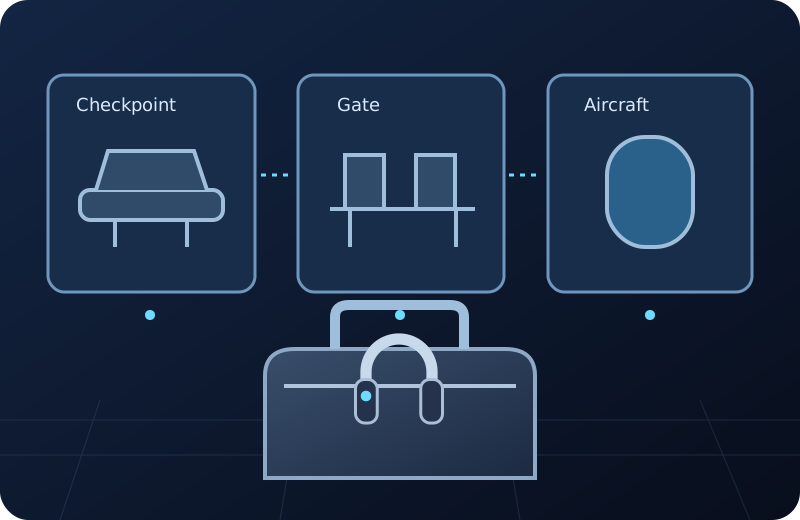
“At the airport” is not yet a useful handoff. A checkpoint, a gate seat, an airplane seat and a café can have different lost-property contacts. The next useful result is a short, specific report sent to the right place, not a guessed location.
The Denver example below provides one airport’s verified routing. For another US airport, use its own official website and your booked airline’s records. Do not assume every checkpoint follows Denver’s arrangement.
Completed example
Worked example: Denver checkpoint, gate B20 or flight seat 14A
Starting information
You are now home in Austin after a Denver departure on November 3. Your black over-ear headphones have a small blue sticker on the left cup. You last definitely held them at 8:05 a.m., before security. At 8:15 you opened your backpack at a checkpoint; at 8:40 you reopened it at gate B20. You occupied seat 14A on your booked flight. You do not remember seeing the headphones after 8:05. The airline and flight number are on your itinerary. Your backpack and carry-on are now on your home table and have not been checked.
Useful outcome
Keep three possible loss points: checkpoint, gate B20 and aircraft seat 14A. First check the two bags on the table without treating that as an airport search. If still missing, prepare a DEN public-area/checkpoint report and an airline report covering the gate/aircraft possibilities. Give November 3, the timeline, flight number from the itinerary, seat 14A and the blue-sticker description. Say last confirmed before security, exact loss point unknown. Record each confirmation number separately; neither report proves where the headphones are.
Illustrative completed handoff plan from the supplied facts. No airport report, Bluetooth observation or recovery has been performed.
Write a timeline that preserves what you do not know
A confirmed sighting and an opened bag are different evidence. In the example, 8:05 is the last certain handling event. The checkpoint and gate are possibilities because the bag was opened there; seat 14A is part of the later route, not a claimed sighting.
A report should preserve that distinction. “Lost at gate B20” would overstate this traveler’s memory. “Last held before security; checkpoint, B20 and seat 14A are possible” gives each recipient information they can use without inventing certainty.
Choose a contact for each plausible loss point
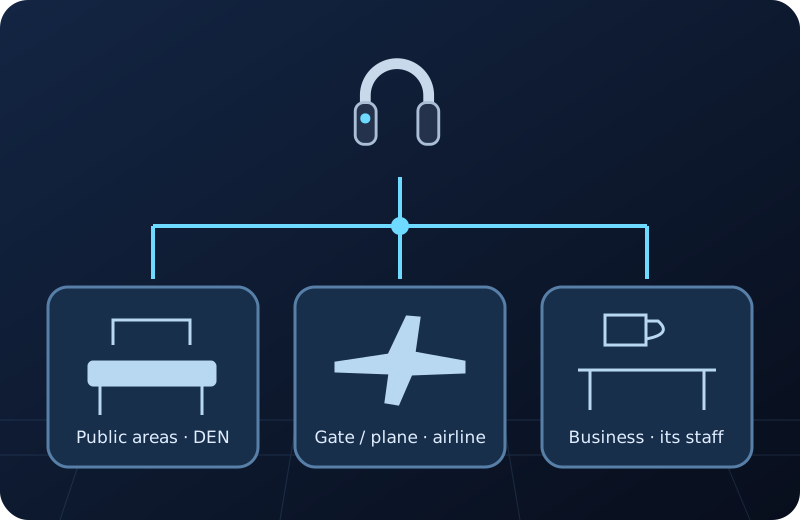
Denver’s official page assigns public-area losses, including security checkpoints, to DEN lost and found. Gate, airplane, check-in and baggage-claim losses go to the airline; shops and restaurants handle losses in their own areas. This is Denver’s arrangement, not a US-wide rule.
For the Denver branch, find Lost and Found on the official flydenver.com website, or call DEN lost and found at (720) 336-2522. For the flight branch, use the booked airline’s official site or contact details on your itinerary. Verify another airport’s routing on its own official site.
Build a report a recipient can act on
- List the item precisely: headphones or one earbud, brand/model if known, color and an identifying mark. Describe only details you can truthfully supply. Keep proof of ownership for the recipient’s verification process.
- Add the travel date and last confirmed handling time. Then list possible locations separately, with terminal/gate and flight/seat details taken from your itinerary rather than memory guesses.
- Match each plausible location to the official responsibility rule. In the Denver example, the checkpoint branch belongs with DEN; gate and aircraft branches belong with the booked airline. If you cannot identify a recipient at another airport, ask that airport’s official lost-property contact which office handles the named area.
- Provide your own reply contact in the actual report, using the recipient’s official process. Do not publish personal contact details, booking references or ownership documents in public comments.
- Save the office name, report time, reference number if supplied and the exact areas described. If you contact another office, explain the overlap and keep each case separate. Acknowledgment means a report exists, not that the item was found.
- If new evidence resolves one branch, update the relevant existing case. Do not rewrite your original uncertainty as a confirmed location or file repeated identical reports without following the office’s instructions.
One journey can create several custody questions
The illustration separates public airport space, a gate/aircraft branch and a business counter. It shows why a single journey may require more than one carefully scoped report.
Keep the local bag check separate
At home, put your own accessible bags in one place and inspect their compartments and loose clothing. In this example both bags are already on the table, so checking them is an available action. Do not enter restricted airport spaces or another person’s property to continue a search.
A local signal observation, if you have one credibly tied to your own detectable headphones, can inform that nearby branch. It cannot establish a target in Denver while you are in Austin. Finding nothing in the bag does not identify which airport office has the item.
Where Find Now can help with the local branch
Find Now is listed for Bluetooth device finding with signal-strength feedback. That purpose fits a search for your own detectable nearby item among your present belongings. It does not replace the airport/airline handoff or tell an office what it has received.
Complete the report and physical bag check with the information you already have. Consider a local finder only for the nearby task; no download is required to build the timeline or choose the correct contact.
Questions that come up next
Who handles headphones lost at a TSA checkpoint?
Check the exact airport’s official policy. Denver currently includes its checkpoints in DEN lost and found. Do not apply that routing to every US checkpoint or assume the airline is responsible.
What if I cannot tell whether they were at the gate or on the plane?
Keep both possibilities in the airline report, using your actual gate, flight and seat details. At Denver both branches route to the airline, so you do not have to invent a precise loss point to make that handoff.
What if I only remember the café, not its name?
Record its approximate location and time, then use the airport’s official business directory or lost-property contact to identify the business. At Denver businesses handle losses in their own areas; do not invent a business name or assume the central office received the item.
Can a Bluetooth finder locate the headphones after I leave the airport?
It can only be relevant to a credible detectable nearby target. A scan at home is not a search of the distant terminal. Continue the official lost-property process for that branch.
Does a case number mean the headphones were found?
No. It records a report or interaction. Keep the case reference, recipient and follow-up instructions separate from any later message identifying a recovered item.
For your next nearby search
Search the belongings that are still beside you
If your own headphones may be in a bag nearby, Find Now’s Bluetooth signal-strength feedback can add a local clue when the target is detectable. Keep that bag search separate from the airport and airline reports; it cannot search a terminal from another city.
Explore Find Now