Find Now · Device-finding guide
Bluetooth Finder Not Detecting Your Device? Choose the Next Search Step
A missing Bluetooth result does not tell you whether the device is off, not visible to that scan, blocked by its surroundings or somewhere else. Record where you last used it and what you know about its power and case. Check accessible physical places first. Continue a local signal search only when there is a credible nearby target; otherwise retrace the last-use route instead of treating an empty list as a location.

Published by Clara · Publisher
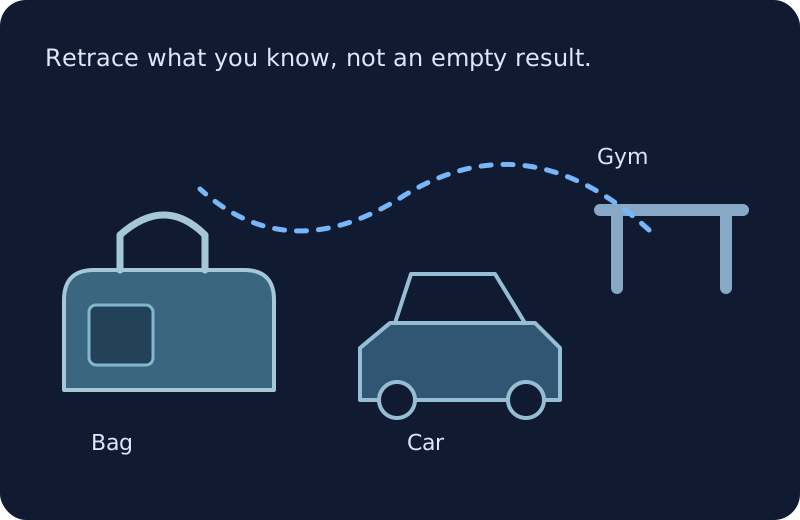
There are two different questions: “Can this observation method see my device now?” and “Where did I leave it?” An empty result answers neither one completely. Avoid turning it into a claim that your earbuds are broken, stolen or absent from the room.
The steps below organize what you already know. They do not require installing a finder, resetting earbuds or changing permissions. No charging-case behavior is assumed to apply to every model.
Completed example
Worked example: an empty result after a Dallas gym visit
Starting information
You last used the earbuds at the gym at 6:15 p.m. You put them in their case but cannot remember whether the case went into the duffel’s side pocket or stayed on the locker-room bench. You drove home with the duffel on the passenger seat. At home at 7:00 p.m., your current local observation does not show the earbuds. Battery level is unknown; nobody has checked the side pocket yet.
Useful outcome
Check the duffel side pocket and lining first, then the car area where you set the bag down. If those checks fail, contact the gym about the locker-room bench and record the time and case description. Do not keep rescanning the living room as if no result proves an app fault. The case’s location and charge remain unresolved until a physical check supplies evidence.
Illustrative decision example, not a captured scan, verified repair or report of recovered earbuds.
No observation is not a diagnosis
Bluetooth LE discovery relies on transmissions reaching a receiver. A physical object can exist without appearing in your particular current observation. An empty list does not identify which condition prevented an observation.
Separate what is known from what is possible. “Not observed at home at 7:00 p.m.” is known in the example. “Battery dead,” “inside the case,” and “still at the gym” remain possibilities. Do not choose between them without another clue.
Work through the missing clues in order
- Write the exact missing component: left earbud, right earbud, case or complete set. Add the last place and time you physically handled that component. Do not let finding the empty case stand in for finding both earbuds.
- Record the current observation, including place and time, as target not observed. Add power or case information only when you know it. Unknown battery level stays unknown; a previous charge estimate is not a current reading.
- Check accessible containers and surfaces tied to last use. Empty your own bag pockets onto a clear surface and inspect their lining. Check the seat or car area where you handled the bag. Mark checked places so another scan does not restart the same loop.
- If the device is physically found, the location problem is solved. Charge it normally if needed and consult its own manufacturer instructions for later connection trouble. Do not reset or unpair it as an experiment while its location is still unknown.
- If it remains missing, choose the next place from the timeline. Contact the venue’s lost-and-found when that is the remaining credible location. For supported AirPods, preserve any existing Apple Find My place and timestamp as separate evidence; an old location is not a current room fix.
- Return to local signal observations only if you have a plausible nearby target to follow. If another nearby item appears but the missing target does not, that shows only that some observations are possible. It does not prove the missing device is compatible, powered or outside the building.
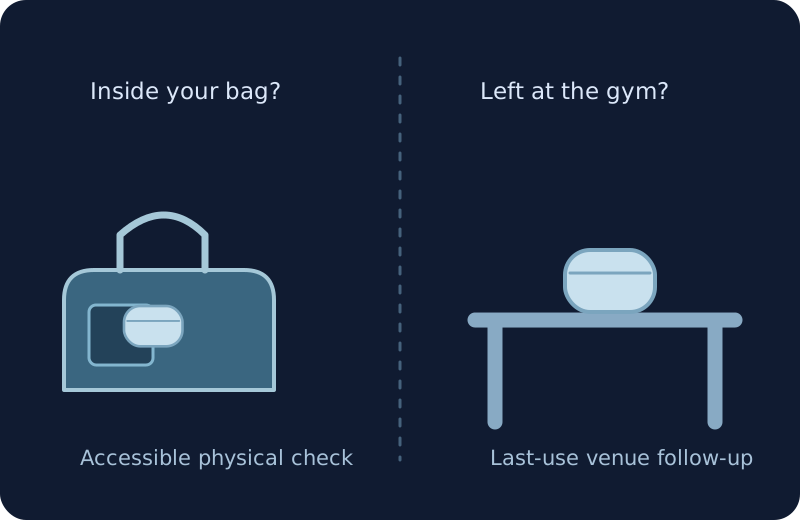
A closed case and a distant case can look the same to an empty scan
Both possibilities leave the target unresolved. The illustration deliberately keeps the earbuds in two possible places. It is a reminder to check the bag and the last-use place, not a claim that a case blocks every model’s signal.
Keep Apple Find My evidence separate
Apple says AirPods that are out of range or need charging may show a last-known location or an Offline status. Its nearby options depend on the model and circumstances. Those Apple records are different from a generic Bluetooth observation.
Keep the displayed location and timestamp together if you already have them. A newer credible observation can change your route; an old gym reading is still only an old reading. Find Now is separate from Apple Find My and this guide does not claim it can detect a dead device or use Apple’s recovery network.
Why there is no universal case or range answer
Case behavior depends on the equipment. “In its case” is a useful fact to record, not a universal explanation for invisibility. Check the exact model’s manufacturer information before assuming it should transmit in that state.
Bluetooth SIG explains that effective radio range varies with the equipment and surroundings. Do not use one fixed feet-or-room limit to declare that the device must have left home. A failed observation is a reason to gather another clue, not a boundary drawn around your house.
When a local finder becomes useful again
Find Now’s listing describes Bluetooth device finding and signal-strength feedback. That is a relevant next stage when your own nearby target is detectable; it cannot substitute for the missing power, identity or location facts in an empty result.
Keep the timeline even when a target later appears. If the signal becomes inconsistent, compare repeatable positions rather than chasing isolated changes. If it never appears, the physical search and venue contact still provide a complete next action.
Questions that come up next
Does no result mean the battery is dead?
No. Battery state is one unresolved possibility. Do not mark it dead without evidence; preserve the last-use time and check the physical places you can access.
Can every earbud be found while its case is closed?
There is no blanket answer across models. This guide makes no promise about a closed case. Record whether the case is open or closed only when known and use the exact manufacturer’s information for model-specific behavior.
Should I install another finder to make the earbuds appear?
Installation alone does not establish that the missing target is powered, visible or nearby. Complete the bag, seat and timeline checks first. Consider a local finder for a detectable target rather than as a promised fix for an empty result.
What if I find the case but not the earbuds?
Record the case as found and keep each missing earbud separate. Revisit where you removed or last used each one; the case’s location does not prove the earbuds are inside it.
When should I stop rescanning the same room?
When no new observation is appearing and your next credible clue points elsewhere, switch to that accessible place or contact its lost-and-found. Keep the room’s checked status and time; lack of a signal alone never proves it empty.
For your next nearby search
Use a local finder when there is a target to follow
If your search establishes a detectable nearby target, consider Find Now’s Bluetooth signal-strength feedback for the next local search. Keep your last-use notes; installing an app does not make a dead, distant or unobserved device detectable.
Explore Find Now