Find Now · Device-finding guide
Identify an Unknown Bluetooth Device Before Following Its Signal
Start with the physical devices you own, match any known labels, then change one known device at a time and compare repeated observations from the same spot. A matching name or a strong signal is only a clue. If a controlled change does not separate the candidates, leave the identity unresolved rather than pairing with an unknown device or assuming it belongs to you.

Published by Clara · Publisher
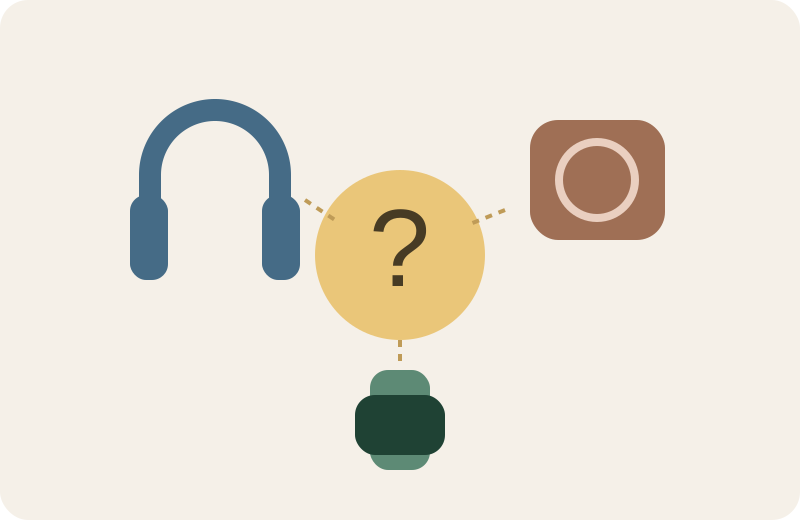
In a college dorm, your headphones may be near a roommate’s speaker and another student’s watch. A scan can supply labels and signals without supplying a reliable owner. The aim is to rule out known equipment before you spend time following the wrong entry.
This guide interprets observations you already have. It does not promise that every device broadcasts a name or prescribe controls in a particular scanning app.
Completed example
Worked example: two similar entries in a dorm room
Starting information
Your portable speaker is on the desk. The existing observation list contains Speaker and Unknown. Your missing headphones have not been found. You can control your own speaker, but not a neighbor’s devices.
Useful outcome
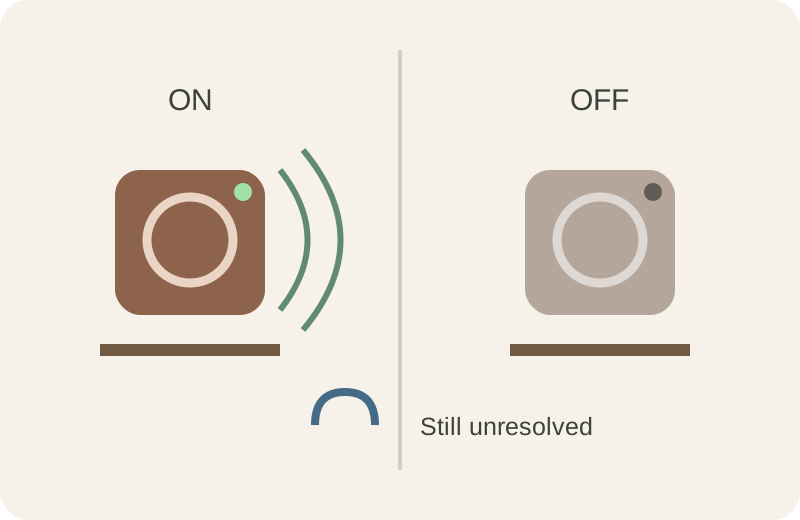
Compare a baseline with the speaker powered off, then on again, from the same position. If Speaker disappears and returns repeatedly with that change, mark it likely your speaker, not the missing headphones. Leave Unknown unresolved; do not rename it headphones based on elimination alone.
Illustrative reasoning example, not a measured scan, app screenshot or verified identification.
Why a Bluetooth device name is not an identity
Apple’s developer documentation treats a peripheral’s name as optional. A nearby entry can therefore be unnamed, and a familiar label still needs corroboration. A label is not proof of the person who owns the device.
Separate three questions in your notes: what label was displayed, what physical object changed, and what conclusion is justified. “Speaker vanished when my speaker turned off” is stronger than “Speaker looks familiar,” but a single disappearance can still be coincidence.
A controlled check using devices you own
- List your own nearby devices on paper: headphones, speaker, watch and other equipment. Beside each, write its known label or unknown. Do not assume the list includes every nearby transmitter.
- Keep the phone in one place and preserve the baseline observations: entry label, visible identifier if one exists, and whether it appeared. Do not compare readings taken across different rooms as though only one thing changed.
- Change only one device you own or have permission to control. For a simple portable speaker that you can normally switch off, compare its off state with its normal on state using your existing observation method. Do not reset or unpair devices to run this check.
- Repeat the off/on comparison. A candidate that repeatedly follows the known speaker’s state is likely associated with it; write the evidence and keep the conclusion provisional. If nothing tracks the change, record no match.
- Restore the known device to its original state. Cross out only the candidate you have supported with evidence. Keep every other entry unresolved until you can connect it to a physical object.
Compare the same place, not two different situations
The drawing isolates one change: the desk speaker’s power state. The headphones remain missing in both panels. That matters because identifying the speaker does not identify the other entry.
How Apple Find My devices differ from a scan list
Apple Find My covers supported Apple devices and Find My-compatible products. A generic nearby Bluetooth entry does not become a Find My item merely because the phone can observe it.
Keep an existing Find My device record separate from the local observation list. A known device record may help establish which personal item you are trying to recover, while a Bluetooth label remains a clue about a nearby transmission. Do not treat matching words across those lists as a verified link.
When the honest result is unknown
Stop the identification experiment if the entry keeps changing independently of your known device, if several entries change together, or if you cannot control any relevant object. Record the uncertainty and return to a physical inventory or last-use search.
A strong signal does not settle who owns a device. Do not pair, reset or claim unfamiliar equipment just to test a hunch. A routine scan entry also does not by itself establish a tracking incident; an actual system safety alert needs its own guidance.
Use a finder after narrowing the target
Once a candidate has a credible connection to your missing equipment, a nearby search becomes more useful. Find Now’s official listing describes Bluetooth device finding with signal-strength feedback. It can be considered for that local search stage; this is not a promise that it identifies the owner of an unknown signal.
Keep your candidate notes. If an apparent match stops making sense, go back to the controlled comparison instead of following a stronger unrelated entry.
Questions that come up next
Can I identify the owner of an unknown Bluetooth device from its name?
A name alone does not establish ownership. Match it with a physical object you recognize and repeatable observations, or keep the owner unknown.
Does an unknown entry mean my iPhone is connected to it?
An observation list and a connection status are different information. This guide does not infer a connection from a label appearing. Read the context of the original observation before drawing a conclusion.
Why not just follow the strongest signal?
That may send you toward the wrong nearby object. Establish a plausible target first; strength alone does not identify the missing item or its owner.
Does Find Now add arbitrary devices to Apple Find My?
This guide makes no such claim. Apple Find My and Find Now are separate products. Find Now’s listing describes local Bluetooth device finding, not access to Apple’s Find My network.
For your next nearby search
Follow a plausible target, not an unfamiliar name
After narrowing the candidate to your own detectable nearby equipment, consider Find Now’s Bluetooth signal-strength feedback for the local search. Keep the identification notes so a stronger unrelated entry does not replace your target.
Explore Find Now