Translate Us iPhone Text Translation
How to translate a webpage on iPhone
Short answer: Use Safari to read a supported webpage in place. Select a complete passage when you need to check one condition, instruction or time.
Choose whole-page translation or one selected passage on iPhone, with a worked opening-hours example and clear limits for copied text.

Published by Clara Publisher
To translate a webpage on iPhone, open it in Safari, tap the Page Menu button, then choose Translate to [language] when the option is available. Apple makes this conditional on the webpage and supported translation languages; a missing option does not necessarily mean your phone is broken.
For one detail, select the complete passage and use Translate if the text menu offers it. You can also copy that passage into a text translator. These routes help with different jobs: whole-page translation helps you read the page, while a selected passage lets you inspect a condition without losing the words around it.
French → English · Illustrative workflow
Keep the day and last-admission time together
Constructed wording, not a venue schedule or captured app output. Keep both sentences beside the translation.
-
Select the complete notice
French input
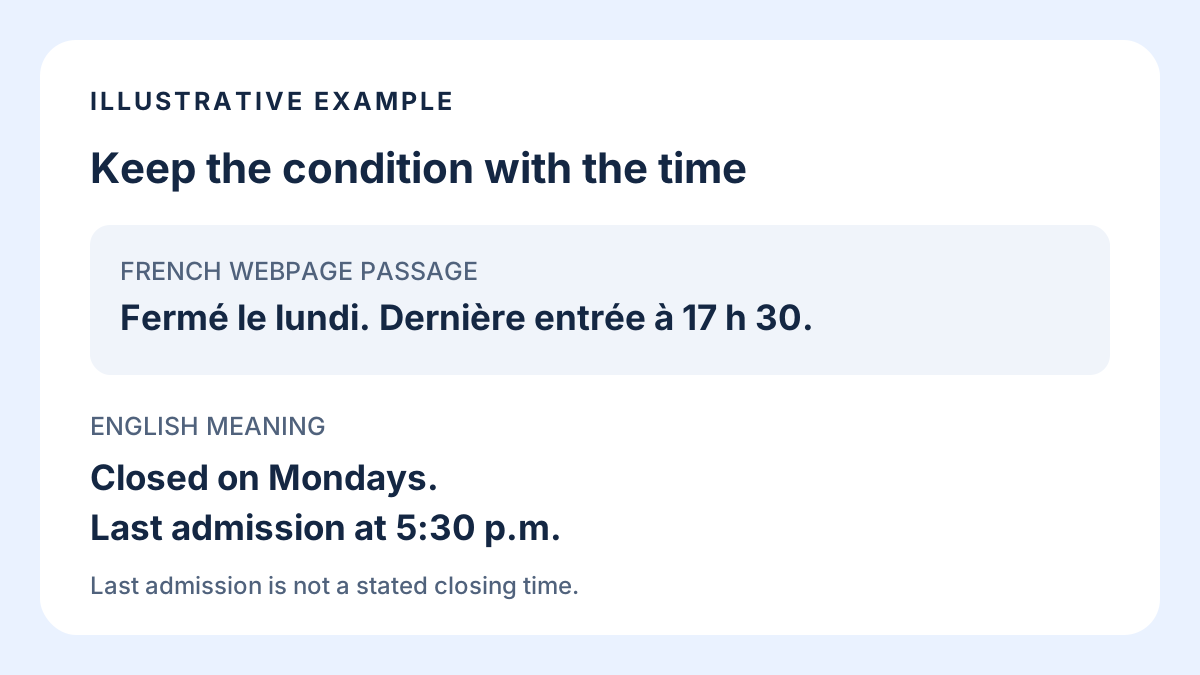
Fermé le lundi. Dernière entrée à 17 h 30.
-
Check what the time means
English translation
Closed on Mondays. Last admission at 5:30 p.m.
-
Check before planning the visit
Confirm the day and last-admission label on the current original page. Last admission does not establish closing time.
Choose the page or the passage
Use the whole-page route when you are browsing an unfamiliar site and need to find the relevant section. It keeps translated page text near the page’s links and headings. Translation does not establish that every image, embedded item or interactive element has been translated.
Use a selected passage when the next action depends on a particular instruction. Include the complete sentence and its heading when the heading changes the meaning. A time beside “last admission” answers a different question from the same time beside “closing”.
- Reading an article or finding a section: try whole-page browser translation.
- Checking a deadline, exception or opening-hours note: select the complete passage.
- Words are inside a photograph or image: use an image-text workflow rather than assuming the webpage text selector can reach them.
Translate the webpage in Safari
Apple’s current iPhone guide places page translation in the Page Menu. Older tutorials may describe an “aA” button; follow the menu label and icon shown by your installed Safari version.
- Open the foreign-language webpage in Safari.
- Open the Page Menu in the address bar.
- Choose Translate to [language] if Safari offers it, and follow any translation prompt shown by Safari.
- Find the section you need, then compare any critical name, date, number or condition with the original page.
Example
- Useful distinction
- The translated page helps you find “Opening hours”. Checking the original line helps you tell whether a displayed time refers to last admission or closing.
- Source basis
- These are documentation-based directions, not a recorded test of a particular website or a claim that all webpage content translates.
Keep the condition attached to the time
Consider this constructed French opening-hours note. It is an editorial example, not a real venue’s schedule or captured app output. Translating only the digits would leave out both the closure day and what the time means.
- Keep an exception such as “except” or a negative word with the sentence it changes.
- Preserve the label beside a date or time, not only the number.
- For a link or button, check its destination and purpose before tapping it. A translated label does not verify the site or its offer.
Example
- Original passage
- Fermé le lundi. Dernière entrée à 17 h 30.
- English meaning
- Closed on Mondays. Last admission at 5:30 p.m.
- Action
- Keep both sentences. Check whether the visit is on a Monday, then distinguish last admission from closing time. Check the venue’s current page before making plans.
If the Translate option is missing
Apple describes webpage translation as available conditionally. Start by checking whether you can select the actual page text. An image of a notice is different from selectable text, even when both appear on a website.
For selectable text, touch and hold the passage, adjust the selection to include a complete thought, and look for Translate in the text actions. Apple’s current guide says to open Show More Items if Translate is not visible. If the action is still unavailable, copying the passage into a text translator is a separate route; it does not translate the website in place.
Chrome users can follow Google’s iPhone and iPad page-translation instructions instead. Avoid changing browsers or installing an extension solely because an older tutorial uses a different Safari icon. First identify which part of the current page needs translation.
Use Translate Us for a copied passage
Translate Us lists text translation for compatible iPhones. If you need a separate text workspace, copy one short, complete passage into its text translation flow and choose the languages you need. Keep the original webpage open so you can compare labels, dates and names with the result.
This guide does not establish a Translate Us Safari extension, website URL importer or in-place webpage translation. The browser route comes first for whole-page reading; the app fits a copied-text task. Product capability here is based on the official listing checked on October 15, 2026, rather than a screen-by-screen app test.
Example
- First task on iPhone
- Try one short, non-sensitive passage in Translate Us. Use the original sentence beside the result to check the day, instruction and any number before acting.
Worked wording
Short passages with the condition intact
These constructed French examples show intended English meanings. They are not recorded Safari, Chrome or Translate Us results.
Source: Fermé le lundi.
Meaning: Closed on Mondays.
Check: Keep the closure day with the notice.
Source: Dernière entrée à 17 h 30. Meaning: Last admission at 5:30 p.m. Check: This is a last-admission time, not a stated closing time.Source: Réservation obligatoire. Meaning: Reservation required. Check: Confirm the current booking instructions on the original site.
Quick check
Before you translate
- Choose whole-page reading or a selected-passage check.
- Use the current browser’s menu rather than relying on an old icon description.
- Keep a sentence’s negative words, exceptions and heading with its numbers.
- Compare dates, times, names and instructions with the original.
- Use the image-text guide when the words cannot be selected.
- For a copied-text task, try one short passage in Translate Us on iPhone.
FAQ
Frequently asked questions
How do I translate an entire webpage on iPhone?
In Safari, open the Page Menu and choose Translate to [language] when available. The action depends on support for the page and translation languages. Google documents a separate page-translation route for Chrome on iPhone and iPad.
Why can’t I find Translate in Safari?
Page translation is conditional, and Safari’s menu appearance changes between versions. Check the current Page Menu and whether the content is selectable text. You can translate a complete selected passage in a supported text action or copy it into a text translator.
Should I translate one sentence or the whole page?
Translate the page to browse and locate a section. Select a complete passage to check one instruction, exception or time. Keep headings and nearby words when they determine what a number means.
Can Translate Us translate a website URL?
This guide verifies a copied-passage fit from the app’s listed text translation feature. It does not verify website URL import, a Safari extension or whole-page translation in place. Use the browser’s documented route for supported whole webpages.
Sources
Useful links
Take it with you
Check one complete passage on iPhone
Try Translate Us text translation with a short passage you can compare with the original. Keep the heading, condition and numbers together.
Explore Translate Us