Translate Us Travel Language
Hotel check-in phrases for travel
Short answer: At check-in, identify your reservation, confirm the dates and ask your next question separately. Keep names, room numbers and charges in writing so staff can check them directly.
Prepare hotel check-in requests and use written booking details to confirm names, dates, room problems and charges.

Published by Clara Publisher
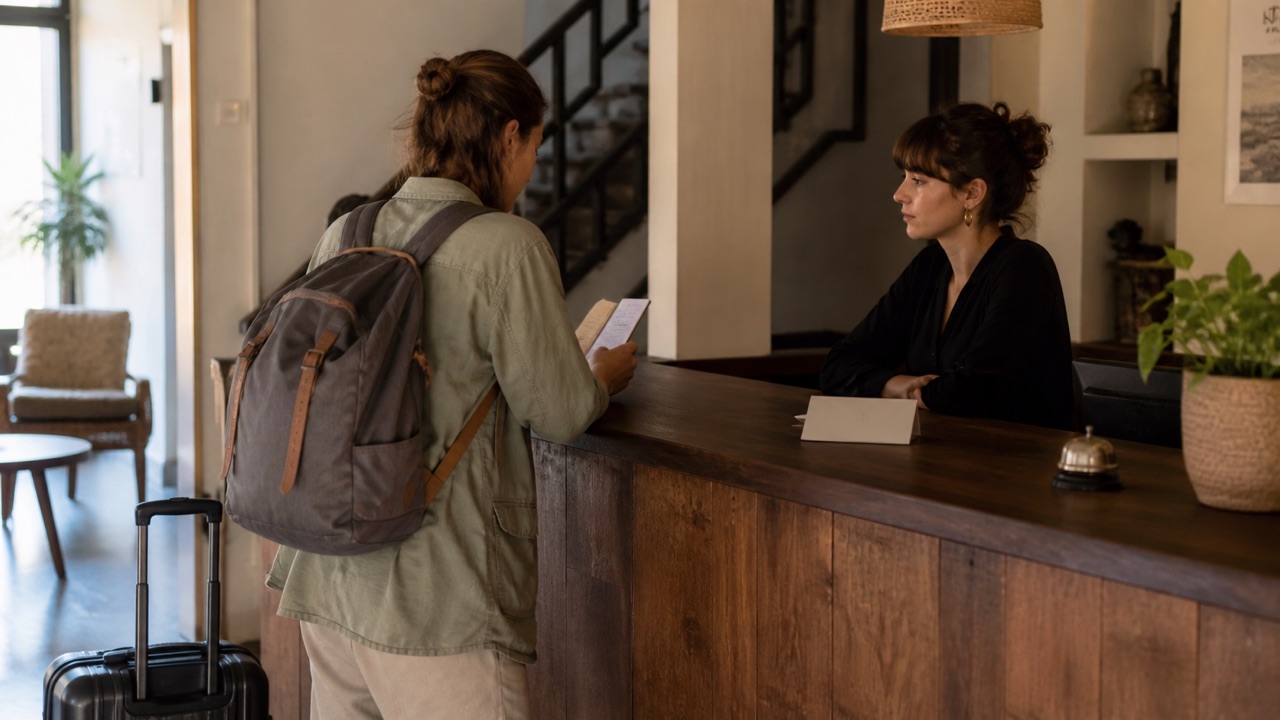
Prepare your booking name, arrival date, departure date and confirmation number before reaching reception. Start with the reservation, then ask about luggage, breakfast or checkout one item at a time.
Translate Us can translate typed requests and spoken turns. Use the translator keyboard for a hotel message and photo/camera translation for a notice. Keep the hotel's own booking and policy beside the translation.
Spanish → English · Illustrative workflow
A message you can read before sending
Translate the whole sentence first. Use the surrounding conversation to check the meaning.
-
Bring the original message
Spanish input
¿Te viene bien mañana a las dos?
-
Read the natural English wording
English translation
Does tomorrow at two work for you?
-
Confirm the detail, then reply
The original does not say a.m. or p.m. Confirm the time before copying the wording into your conversation.
Start with the reservation
The phrase should say what staff need to find. A name and date are more helpful than a long explanation about your journey.
- I have a reservation under [name].
- My booking is from [arrival date] to [departure date].
- Could you confirm the checkout time?
- May I leave my luggage here before check-in?
Example
Illustrative Spanish phrase: ‘I have a reservation under Lee.’ → ‘Tengo una reserva a nombre de Lee.’ Useful action: show the booking confirmation with the same name. This is an editorial example, not a recorded Translate Us result.
Report what you can observe
Name the room, describe the fault and ask for a specific next step. Avoid a long story or a guessed diagnosis of the problem.
For example: ‘The air conditioner in room 204 is not working. Could someone check it?’ Keep 204 visible while staff read the result. Then ask when help will arrive. For urgent safety problems, contact hotel staff or local emergency services directly.
Confirm dates and charges in writing
Spell out a month when a numeric date could be read in two ways. Write ‘15 October’ rather than relying on ‘10/15’ or ‘15/10’. Preserve the hotel’s local time for an arrival estimate.
Ask staff to identify a deposit, room charge or fee on the actual bill. Translation can help read the explanation; the booking conditions and hotel policy determine what you agreed to.
Choose the mode for the next task
Translate one check-in sentence by text before arrival. At the desk, use short voice turns if staff agree, or show the written request. For a posted notice, capture only the relevant section without other guests' personal information.
Install Translate Us before travel and try a request you expect to use. Keep a separate copy of your booking and the hotel address so you can reach them if connectivity fails.
iPhone workflow
Use Translate Us for the moment in front of you
- Open Translate Us on iPhone and choose voice, text, photo, or live camera for the input you have.
- Set the source and target languages, then read or listen to the translation in context.
- Use real-time conversation when two people need to follow the exchange.
- Continue with the translator keyboard for messages or the AI dictionary for a word, meaning, or example.
Phrases to translate
Short messages to prepare
Choose your source and destination languages in Translate Us, then translate one message at a time. Replace bracketed details before using a phrase.
I have a reservation under [name].May I leave my luggage here until check-in?The [item] in room [number] is not working. Could someone check it?What is this charge on my bill?
Quick check
Before you translate
- Save the booking confirmation.
- Write the month name for ambiguous dates.
- Keep room numbers and amounts visible.
- Report one room issue at a time.
- Confirm the next step and timing with staff.
FAQ
Frequently asked questions
What should I say first at hotel check-in?
State that you have a reservation and give the booking name. Show your confirmation, then confirm the dates.
Can I use camera translation for a hotel notice?
Translate Us lists photo/camera translation. Keep the original notice and ask staff to confirm rules involving access, charges or safety.
How do I report a room problem clearly?
Give the room number, state what is not working and ask for a specific action. Then confirm when staff can help.
Sources
Useful links
Take it with you
Try Translate Us on iPhone
Translate voice, text, photos, and live camera input across 200+ languages. Use real-time conversation, the translator keyboard, or AI dictionary when the moment changes.
Explore Translate Us