Translate Us Travel Translation
Voice translation vs text translation for travel: when to use each
Short answer: Use voice translation for short live turns and text translation for details you can inspect. Combine both when names, numbers, directions, or conditions matter.
Compare voice and text translation for travel, then combine voice, text, photo, camera, and conversation workflows on iPhone.

Published by Clara Publisher
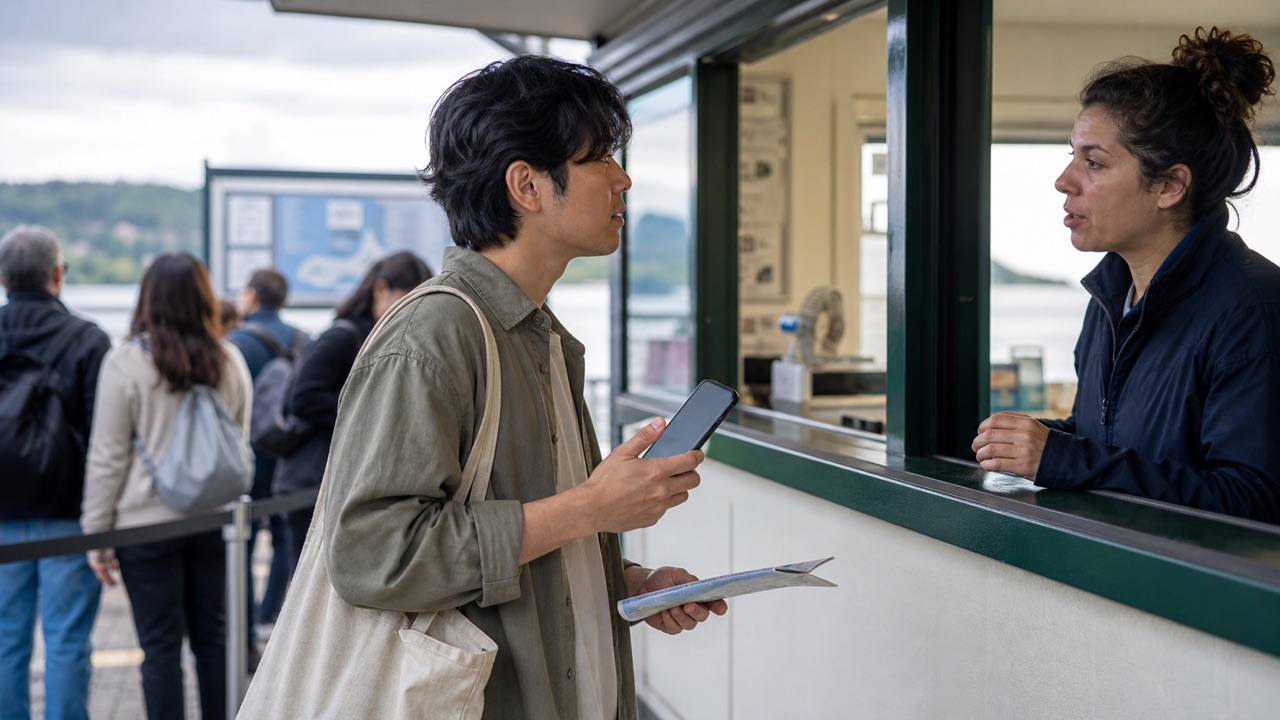
Voice translation is useful when a person is speaking and the conversation needs to continue. Text translation is better when you need to inspect exact wording, preserve a name or number, or translate written material. Travelers usually need both, plus photo or camera input for signs and menus.
For a first Translate Us session on iPhone, begin with a short voice request and keep text ready for the answer’s essential detail. The app’s listing was checked on 15 October 2026. Language and mode availability still need checking for your destination.
Spanish → English · Illustrative workflow
One question, ready for the next exchange
Choose Spanish and English for this example. Keep each turn short enough to check.
-
Start with a short question
Spanish input
¿Dónde está la estación?
-
Read the translated meaning
English translation
Where is the station?
-
Confirm the answer
Take turns speaking. If the reply names a street or a time, confirm that detail before you move on.
Choose by the source in front of you
Use voice when the meaning lives in a spoken turn: asking for directions, greeting someone, or responding at a counter. Use text when you can control the source: writing an address, checking a booking message, or preparing a polite request.
Use photo or live camera for words already printed in the world. The source type matters because speech recognition and image reading introduce separate opportunities for error before translation begins.
- Voice: short questions, replies, and live conversation.
- Text: addresses, names, dates, prices, messages, and prepared requests.
- Photo: stable text in a menu, sign, label, or saved image.
- Live camera: quick reading while moving through a place.
- Dictionary: one word whose meaning or usage is unclear.
Use voice for a short, repairable turn
Keep spoken requests short and give the other person time to answer. In noise, move closer, speak clearly, and repeat the key detail in text. If the app produces an unexpected result, inspect the recognized source before assuming the translation step caused the problem.
Voice works best as part of an exchange, not as a reason to stop checking. Ask the person to confirm the place, time, number, or condition that matters. Real-time conversation can help both people follow the turn, but it does not remove the need to clarify.
- Set the source and target languages.
- Say one complete request with the important detail near the end.
- Let the other person answer without overlapping speech.
- Repeat names, numbers, dates, or directions in writing.
- Switch to text or a human helper when meaning remains uncertain.
Example
- Spoken question
- Excusez-moi, de quel quai part le train pour Lyon ? = Excuse me, which platform does the train to Lyon leave from?
- Possible reply
- Du quai six. = From platform six.
- Written confirmation
- Write “Lyon, quai 6” and show it to the speaker. This example is fictional and not a real departure announcement.
Use text and images for details you can inspect
Text lets you edit before sending and compare the output with the source. That makes it useful for a hotel address, transport question, written message, or payment detail. Photo and camera input help when you cannot select the words, but capture quality still matters.
Retake a photo when the type is small, angled, reflective, or partly covered. Keep the original image visible, especially when the translation changes a number, ingredient, place name, or instruction.
- Use a complete sentence instead of a fragment when context affects meaning.
- Keep names, addresses, and numbers separate from surrounding prose.
- Retake images with straight framing and enough light.
- Ask a local person when a menu, allergy, or official instruction is unclear.
- Save a written version of critical travel details before leaving.
Example
- Written source
- Reservation: Martin. Arrival: 16 October 2026, 19:30. Two guests.
- Why text helps
- You can check each field before showing or sending it. Do not ask speech recognition to infer a surname, year, and arrival time from a rushed sentence.
- When to switch
- After a spoken answer gives a price or platform, type the detail and ask the speaker to confirm it.
Combine modes instead of forcing one tool to do everything
A practical travel sequence may start with live camera for a sign, switch to text for the address, use voice to ask a person, and finish with the translator keyboard for a written reply. The mode changes because the job changes.
Translate Us is built around those separate iPhone inputs. Test your language pair and network conditions before travel, and keep a human or official source for legal, medical, emergency, border, transport, or safety decisions.
iPhone workflow
Use Translate Us for the moment in front of you
- Open Translate Us on iPhone and choose voice, text, photo, or live camera for the input you have.
- Set the source and target languages, then read or listen to the translation in context.
- Use real-time conversation when two people need to follow the exchange.
- Continue with the translator keyboard for messages or the AI dictionary for a word, meaning, or example.
Example phrases
Finished examples to adapt
Use the source sentence as translation input and the intended meaning as a check. These editorial examples illustrate wording; they are not captured Translate Us outputs.
Spoken request: Pourriez-vous parler un peu plus lentement ?
Meaning: Could you speak a little more slowly?
Written check: Le train pour Lyon part du quai 6, c’est bien cela ? Meaning: The train to Lyon leaves from platform 6, is that right? Use your actual destination and platform.Price check: Est-ce le prix pour une personne ou pour deux personnes ? Meaning: Is that the price for one person or for two people?Repair: Je n’ai pas compris le numéro. Pourriez-vous l’écrire ? Meaning: I did not understand the number. Could you write it down?
Quick check
Before you translate
- Identify whether the source is speech, typed text, a photo, or live camera.
- Use short spoken turns and avoid overlapping speech.
- Check names, numbers, dates, addresses, prices, and conditions in text.
- Retake unclear images before trusting the result.
- Switch modes when the risk or source changes.
- Use people and official sources for high-consequence travel decisions.
FAQ
Frequently asked questions
Is voice or text translation better for travel?
Neither is always better. Voice fits short live turns, while text fits details you can edit and inspect. Use both when a conversation contains names, numbers, directions, prices, or conditions.
Can Translate Us translate a live travel conversation?
The listing describes voice and conversation translation. Test your language pair with one short turn in the current app, then confirm names, prices, times, or routes in writing. No measured latency or continuous interpreting result is reported here.
Should I use camera translation for a menu?
Photo or live camera can help read visible menu text. Check the original, ask about unclear ingredients or prices, and do not rely on an app alone for allergy or medical decisions.
What should I do when voice translation is wrong?
Repeat the sentence more slowly, reduce background noise, use shorter wording, and switch to text. Confirm the source and target languages, then ask a person or official service when the detail affects safety or a formal decision.
Sources
Useful links
Take it with you
Try Translate Us on iPhone
Translate voice, text, photos, and live camera input across 200+ languages. Use real-time conversation, the translator keyboard, or AI dictionary when the moment changes.
Explore Translate Us