Translate Us App Comparisons
Translate Us vs Google Translate on iPhone: features and test limits
Short answer: Google documents downloaded-language use; Translate Us lists a translator keyboard. Those facts can narrow an iPhone shortlist, but no controlled accuracy comparison is reported here.
Compare Translate Us and Google Translate on iPhone by text, voice, camera, conversations, keyboard, language checks, and documented offline support.

Published by Clara Publisher
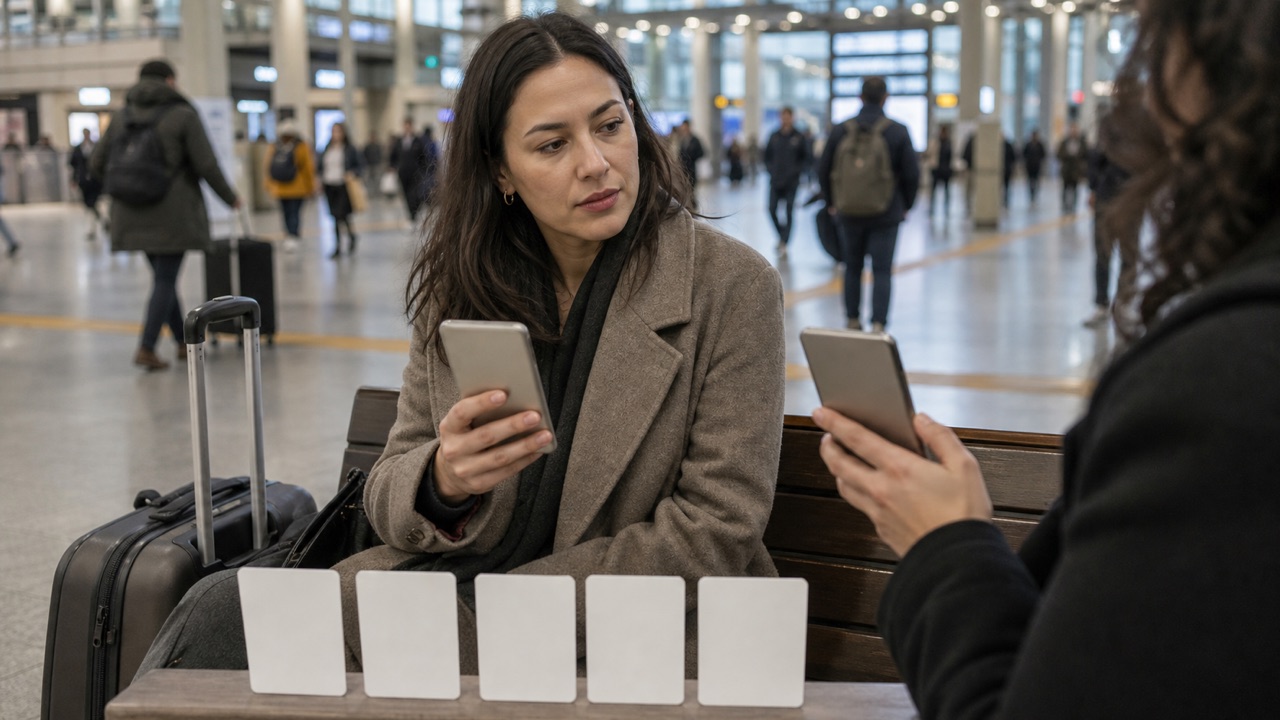
Start with Google Translate when documented language downloads are essential, then test the exact input offline. Include Translate Us in your shortlist when a translator keyboard is central to your iPhone messaging routine. For shared text, speech, and image tasks, this guide has no controlled output results to name an accuracy winner.
This is an official-source comparison checked on 15 October 2026, not a hands-on review. The linked App Store listings describe features; they do not establish equivalent language coverage in every mode, current paywall value, or measured translation quality.
Spanish → English · Illustrative workflow
A message you can read before sending
Translate the whole sentence first. Use the surrounding conversation to check the meaning.
-
Bring the original message
Spanish input
¿Te viene bien mañana a las dos?
-
Read the natural English wording
English translation
Does tomorrow at two work for you?
-
Confirm the detail, then reply
The original does not say a.m. or p.m. Confirm the time before copying the wording into your conversation.
What the current official pages say
Translate Us lists text, voice, photo, camera, a translator keyboard, and an AI dictionary. The keyboard is a relevant feature to inspect if you regularly compose translated replies inside another app.
Google lists typed, spoken, image, and conversation translation. Its iPhone help page documents language downloads and makes camera availability conditional on the language. Those sources support a no-network shortlist, not a promise about offline voice.
- Translate Us: compare text, voice, photo, camera, conversation, keyboard, and dictionary jobs.
- Google Translate: verify the exact language and downloaded package before a no-network trip.
- Both: test your actual language pair and input conditions.
- Neither feature list: a guarantee of universal accuracy, privacy, or suitability for official documents.
Run the same five-task iPhone test
A fair comparison holds the source sentence, language pair, phone, lighting, room noise, and review standard steady. Do not compare one app with a polished sentence and the other with a noisy recording. Save the original and both outputs so you can inspect meaning, omissions, names, numbers, and tone.
Use the finished French examples below as shared inputs. The expected meanings are editorial references, not either app’s output. A result passes the detail check only if it keeps the name, time, negation, and requested action; ask a bilingual reader about natural wording.
- Translate one clear typed message in both apps.
- Translate one short spoken request in the same room.
- Test one photo or live camera scene with readable text.
- Run one two-person conversation with the same turns.
- Compose one translated reply and check names, dates, numbers, and tone.
- Repeat any task that affects a decision and record the uncertainty.
Example
- French input
- La réservation est au nom de Martin pour le 16 octobre à 19 h 30.
- Reference meaning
- The reservation is under the name Martin for 16 October at 7:30 p.m.
- What to inspect
- Keep Martin, 16 October, and 19:30. Record both actual outputs, app versions, account tiers, and date before judging either result.
Choose by use case, not a headline
Google’s documented downloads make it a candidate when connectivity is the deciding requirement. Translate Us offline behavior remains unverified here. For messaging, inspect Translate Us’s listed keyboard and test the reply inside the messaging app you use; do not infer that a missing feature in another listing proves that feature does not exist.
For conversations, compare turn taking, audio clarity, and whether both people can follow the original and translated text. For photos and camera scenes, compare readable text, glare, distance, and language support. A useful result is the one that fits your job and can be checked, not the one with the strongest marketing line.
Keep the comparison current and honest
App Store descriptions, language lists, iOS requirements, and feature behavior can change. Record the date, app version, iPhone model, language pair, and test inputs. Recheck official pages before publishing a comparison or relying on it for a trip.
Do not publish a winner from one small test. State what you tested, what you could not verify, and where a human reviewer is needed. Contracts, legal language, medical instructions, emergency information, and official documents need responsible professional review.
iPhone workflow
Use Translate Us for the moment in front of you
- Open Translate Us on iPhone and choose voice, text, photo, or live camera for the input you have.
- Set the source and target languages, then read or listen to the translation in context.
- Use real-time conversation when two people need to follow the exchange.
- Continue with the translator keyboard for messages or the AI dictionary for a word, meaning, or example.
Example phrases
Identical inputs for your own comparison
Use the source sentence as translation input and the intended meaning as a check. These editorial examples illustrate wording; they are not captured Translate Us outputs.
French: La réservation est au nom de Martin pour le 16 octobre à 19 h 30.
Reference meaning: The reservation is under the name Martin for 16 October at 7:30 p.m.
French: Je ne peux pas venir avant 18 h. Reference meaning: I cannot come before 6 p.m. Check: The negative and “before” must both survive.French: Le café est fermé le lundi. Reference meaning: The café is closed on Mondays. Check: This describes a recurring closure, not only one date.English reply: Could you confirm the total price for two people? Illustrative French: Pourriez-vous confirmer le prix total pour deux personnes ?
Quick check
Before you translate
- Record the comparison date, iPhone model, app versions, and language pair.
- Use identical source text, audio, image, lighting, and room conditions.
- Test text, voice, photo or camera, conversation, and reply workflows.
- Compare meaning, omissions, names, numbers, dates, tone, and uncertainty.
- Verify competitor facts from current official product or App Store pages.
- Avoid universal accuracy, ranking, privacy, price, or superiority claims.
FAQ
Frequently asked questions
Is Translate Us better than Google Translate on iPhone?
This guide has not run a controlled comparison, so it does not name an accuracy winner. Google’s documented downloads may decide a no-network requirement; Translate Us’s listed keyboard may matter for composing replies. Test your language pair and task before choosing.
Does Google Translate support offline use on iPhone?
Google's current help page says you can download languages to the device for use without an internet connection, with camera support depending on language. Verify the exact pair and test it before travel.
Does Translate Us have documented offline support?
Translate Us offline behavior has not been verified for this comparison. Check the exact language and input in the current app; do not assume a working text mode proves offline voice or conversation.
Which app should I use for a business contract?
Use an app only for orientation or a draft if your workflow permits it. Have a qualified human or professional reviewer preserve names, dates, numbers, obligations, defined terms, and jurisdiction-specific language.
Sources
Useful links
Take it with you
Try Translate Us on iPhone
Translate voice, text, photos, and live camera input across 200+ languages. Use real-time conversation, the translator keyboard, or AI dictionary when the moment changes.
Explore Translate Us